
-
×
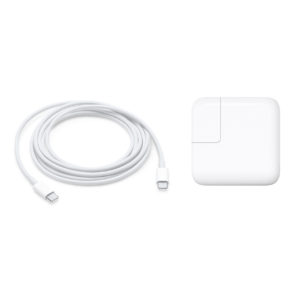 Apple Macbook Type C Charger 61W (Genuine) For Sale Trinidad
1 × $727.00 TTD
Apple Macbook Type C Charger 61W (Genuine) For Sale Trinidad
1 × $727.00 TTD
Subtotal: $727.00 TTD
📢 Notice: 🔒 IT PLUS will be temporarily closed until June 16th, 2026. 🙏 We appreciate your understanding and look forward to serving you again soon! 😊
1 in stock
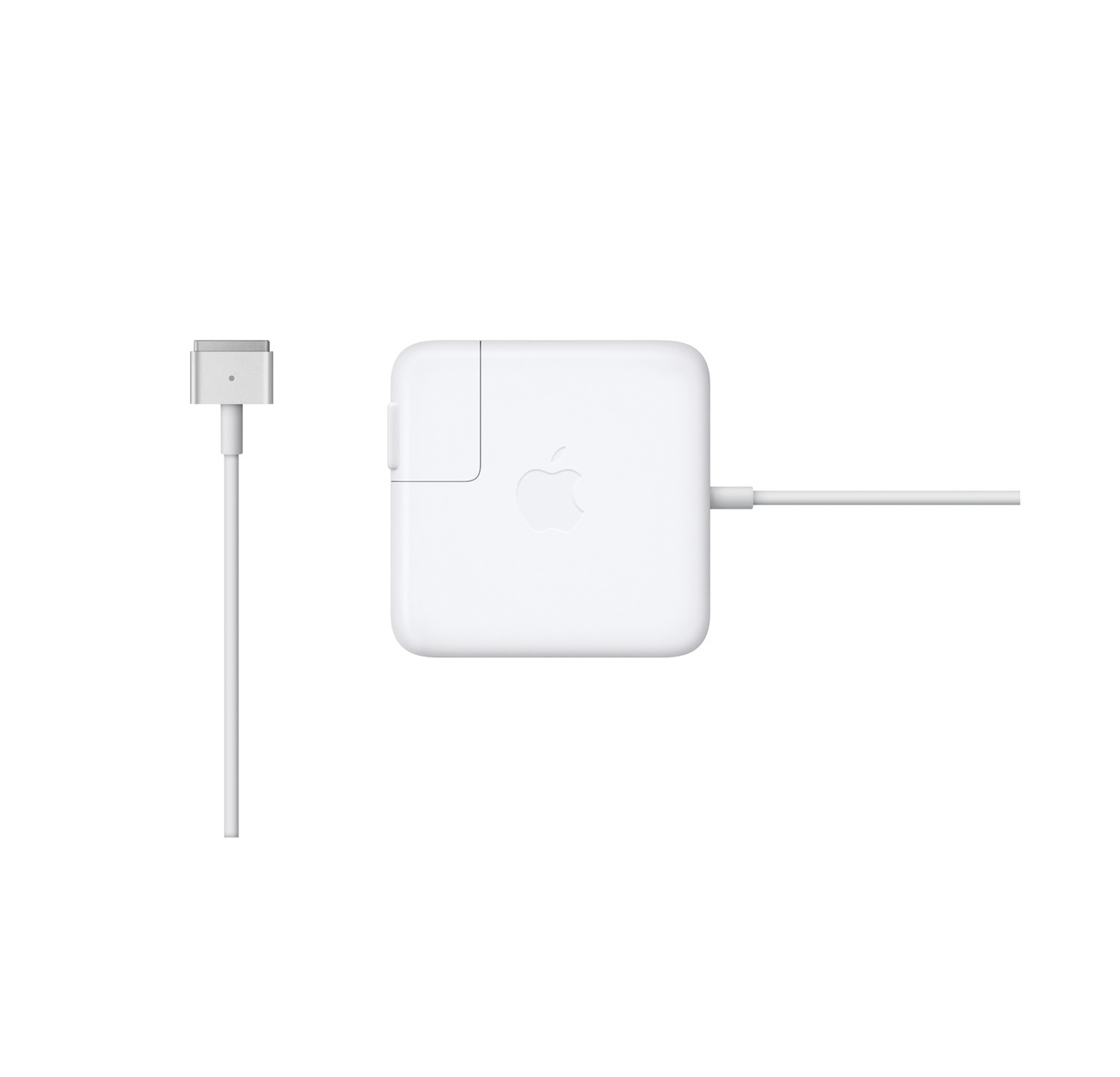
Genuine Apple 85W MagSafe 2 Power Adapter Trinidad
🔌 Genuine Apple 85W – Official charger with MagSafe 2 T-shaped connector
🧲 Magnetic Safety – Auto-disconnects if tripped, protects MacBook from falls
⚡ Fast 85W Charging – Full power for 15″ & 17″ MacBook Pro Retina
💡 LED Indicator – Amber = charging, Green = full
🛡️ Built-in Protection – Prevents overcharging & overheating
🔄 2 Cable Options – Wall adapter + extension cord included
✅ 100% Apple Certified – Not a cheap imitation
🌍 Universal Voltage – Works worldwide (100-240V)
🇹🇹 Trinidad Stock – Fast delivery throughout TT
• UPC Code: 661911859080
$775.00 TTD
1 in stock

Never Be Powerless Again – Genuine Apple 85W MagSafe 2 Power Adapter Trinidad
You’re working on an important project when suddenly your MacBook Pro shuts down—dead battery. You search frantically for your charger, only to find it’s frayed, the cable is exposed, or worse, it’s stopped working entirely. Or maybe you accidentally left it at the office, a client’s location, or a coffee shop.
Your expensive MacBook Pro deserves genuine Apple charging. This authentic 85W MagSafe 2 Power Adapter delivers the same reliable, safe, fast charging that came with your MacBook Pro—protecting your investment while keeping you powered and productive.
This is the official Apple 85W MagSafe 2 Power Adapter featuring Apple’s innovative magnetic charging technology. Designed specifically for 15-inch and 17-inch MacBook Pro with Retina display models, this genuine adapter delivers optimal 85W power while the intelligent MagSafe 2 connector protects your MacBook from accidental damage.
Unlike cheap third-party alternatives that can damage your battery or even pose fire hazards, this genuine Apple charger meets Apple’s exact specifications for safe, efficient charging that extends your MacBook’s battery life.
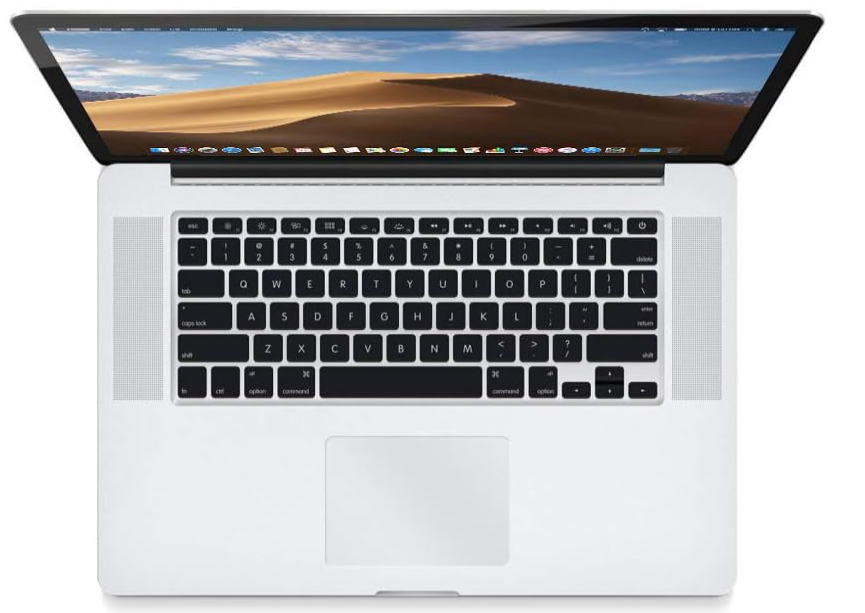
✅ COMPATIBLE MacBook Pro Models (MagSafe 2):
MacBook Pro 15-inch with Retina Display:
MacBook Pro 17-inch (Late Models with MagSafe 2):
How to Identify Your Model:
How to Identify MagSafe 2 Connector:
Model Identifiers: Compatible with MacBook Pro models: MacBookPro10,1 | MacBookPro10,2 | MacBookPro11,2 | MacBookPro11,3 | MacBookPro11,4 | MacBookPro11,5
Part Numbers: This adapter replaces Apple part numbers: MD506LL/A, MD506B/A, MD506Z/A

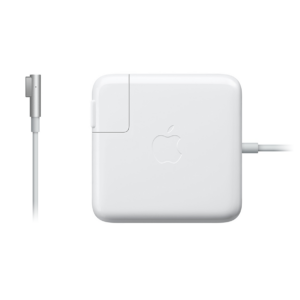
Older MacBook Pro Models (Original MagSafe):
Newer MacBook Models (USB-C):
Need help identifying your model? Contact IT Plus Trinidad—we’ll help you find the right charger!

Genuine Apple Quality – Accept No Substitutes This isn’t a knockoff or “compatible” charger—it’s 100% genuine Apple with the same quality, safety, and performance as the charger that came with your MacBook Pro. Counterfeit chargers can:
With genuine Apple, you’re investing in safety and reliability.
Revolutionary MagSafe 2 Magnetic Technology Apple’s MagSafe 2 connector is brilliant engineering:
The T-shaped MagSafe 2 design is slimmer and fits flush with the MacBook Pro Retina’s sleek profile.
Intelligent LED Status Indicator Never guess about charging status:
The LED is located right on the connector head for easy visibility.
Full 85W Power Delivery The 85W output is specifically designed for 15-inch and 17-inch MacBook Pro models:
Dual Power Cable Options Apple includes TWO ways to connect:
Clever Cable Management Design The adapter body features integrated wings:
Universal Worldwide Voltage Input: AC 100-240V, 50-60Hz
Perfect for international travelers!
Charges in Any Power State
Use your MacBook or leave it charging overnight—your choice!
Step 1: Choose Your Power Cable
Step 2: Connect to Power
Step 3: Connect to MacBook Pro
Step 4: Monitor Charging
Step 5: Disconnect Safely
Pro Tips:
For Your Productivity: Never interrupt your workflow because of a dead battery. Whether you’re editing video, designing graphics, coding applications, or analyzing data, reliable power means uninterrupted creativity and productivity. A dead MacBook means lost work and missed deadlines—eliminate that risk.
For Your MacBook’s Longevity: Genuine Apple chargers deliver clean, consistent power that protects your battery’s health. Third-party chargers cause voltage fluctuations that degrade battery capacity over time, forcing expensive battery replacements ($200-400 USD). Protect your $1,500-$3,000 investment with genuine charging.
For Your Safety: Counterfeit chargers are dangerous—they’ve caused house fires, electrical shocks, and device damage. Apple’s genuine adapters pass rigorous safety testing and include multiple protection circuits. Sleep soundly knowing your charger meets international safety standards.
For Your Mobility: With the compact AC wall adapter option, traveling with your MacBook becomes effortless. The slim design fits in any bag, the cable management keeps everything organized, and universal voltage means you’re powered anywhere in the world.
For Your Peace of Mind: The MagSafe 2 magnetic safety feature alone is worth the investment. How many times has someone (kids, pets, coworkers) tripped over a laptop cable, sending the laptop crashing to the floor? With MagSafe 2, the cable harmlessly disconnects, and your MacBook stays safe on the desk.
For Your Budget: Yes, genuine Apple chargers cost more than knockoffs—but they last longer, charge more efficiently, and don’t damage your battery. The “cheap” $30 charger that ruins your $300 battery isn’t actually cheap. Invest once in genuine quality.
Is your current charger frayed, damaged, or sparking?
Did you lose your charger or leave it somewhere?
Need a backup charger for office or travel?
Is your MacBook charging slowly or inconsistently?
Worried about cheap chargers damaging your expensive MacBook?
Want the safest, most reliable charging for your MacBook Pro?
Need to replace a counterfeit charger that’s not working properly?
If you answered “yes” to any of these, this genuine Apple 85W MagSafe 2 charger is exactly what you need.
❌ Problem: Current charger cable is frayed or exposed wires visible
✅ Solution: Brand new genuine Apple charger with durable cable construction
❌ Problem: Charger stopped working or charges intermittently
✅ Solution: Reliable 85W power delivery with Apple quality standards
❌ Problem: Third-party charger damaged MacBook battery
✅ Solution: Genuine Apple electronics protect battery health and longevity
❌ Problem: Worry about cable getting yanked and MacBook falling
✅ Solution: MagSafe 2 magnetic safety disconnect prevents accidents
❌ Problem: Need charger for multiple locations (home + office)
✅ Solution: Affordable genuine option for backup chargers
❌ Problem: Traveling internationally with MacBook
✅ Solution: Universal 100-240V voltage works worldwide
❌ Problem: Cheap charger overheats or smells like burning plastic
✅ Solution: Apple safety certifications ensure cool, safe operation
💼 Business Professionals – Lawyers, consultants, executives needing reliable power
🎨 Creative Professionals – Designers, video editors, photographers with demanding workflows
👨💻 Software Developers – Programmers, coders, app developers
🎓 Students & Educators – University students, teachers, researchers
📊 Financial Analysts – Accountants, analysts working with complex spreadsheets
🎬 Content Creators – YouTubers, podcasters, media producers
✈️ Business Travelers – Sales reps, consultants traveling for work
🏠 Remote Workers – Work-from-home professionals needing home + office setup
🎵 Music Producers – Audio engineers, DJs, musicians using MacBook Pro
📸 Photographers – Photo editors processing large image files
Imagine this: You’re in a crucial client presentation in Port of Spain. Your MacBook Pro battery is at 15%. You reach into your bag, pull out your genuine Apple charger, and the MagSafe 2 connector magnetically “clicks” into place with that satisfying snap.
The amber LED glows, confirming charging. You continue your presentation confidently, knowing your MacBook won’t die mid-pitch.
That’s security. That’s professionalism. That’s peace of mind.
No more battery anxiety. No more wondering if your cheap charger might damage your expensive MacBook. No more worrying about electrical safety. Just reliable, genuine Apple quality doing exactly what it’s designed to do—keeping you powered and productive.
This investment says, “I value my work. I protect my equipment. I choose quality.”
For Your Home Office: Set up a permanent charging station at your desk. Leave the AC extension cord connected for maximum reach. Your MacBook Pro charges overnight, ready each morning for a full day’s work.
For Your Business: Equip meeting rooms or shared workspaces with genuine chargers. Clients and employees appreciate quality equipment. Demonstrate your commitment to excellence by providing genuine Apple accessories.
For Your Travel Setup: Keep a dedicated charger in your laptop bag with the compact AC wall adapter. You’re always ready to work at coffee shops, clients’ offices, co-working spaces, or hotels—anywhere in Trinidad & Tobago or worldwide.
For Your Tech Investment: Your MacBook Pro cost $1,500-$3,000 USD or more. Protecting it with a $30 counterfeit charger is false economy. This genuine $775 TTD charger protects your thousands-of-dollars investment and lasts for years.
For Your Multi-Device Setup: If you have multiple MacBook Pros (personal + work, or family members), having multiple genuine chargers eliminates conflicts and ensures everyone has reliable power when they need it.
When you order from IT Plus Trinidad, you get:
✅ 100% Genuine Apple Product – Never cheap knockoffs or counterfeits
✅ Local Trinidad Stock – Ready for immediate pickup or delivery
✅ Expert Verification – We confirm compatibility before you buy
✅ Fast Delivery – We deliver throughout Trinidad and Tobago
✅ Trusted Service – Years of experience serving Trinidad’s Mac community
✅ Competitive Pricing – Best value for genuine Apple products in TT
✅ Professional Support – Questions? We’re here to help!
📱 WhatsApp Us – (868) 356-1030 – Instant answers and quick ordering
🛒 Buy on Website – itplustrinidad.com – Secure online checkout
💳 Request Payment Link – We’ll send a personalized payment link
🏦 Online Banking – Fast, secure bank transfer
🏪 Visit Our Store – #1 Canary Street, Esperance Village, San Fernando
We deliver throughout Trinidad and Tobago – San Fernando, Port of Spain, Chaguanas, Arima, Sangre Grande, Point Fortin, and beyond!
Q: How do I know if my MacBook uses MagSafe 2?
A: Check your charging port. MagSafe 2 is T-shaped (like the letter T). MagSafe 1 is L-shaped. Or check “About This Mac” – Retina 15″ from 2012-2015 use MagSafe 2.
Q: Can I use this 85W charger on a 13-inch MacBook Pro?
A: It will work, but 13-inch models need only 60W. Using 85W won’t harm it, but you’d be paying for extra power you don’t need.
Q: Is this really genuine Apple or a copy?
A: 100% genuine Apple product with authentic packaging, documentation, and Apple branding.
Q: Will this work with my 2018 MacBook Pro?
A: No. MacBook Pros from 2016 onwards use USB-C charging, not MagSafe 2.
Q: Can I travel internationally with this charger?
A: Yes! It accepts 100-240V (universal voltage). You may need a plug adapter for different outlet types, but the charger itself works worldwide.
Q: What if someone trips over my charging cable?
A: The MagSafe 2 magnetic connector will safely disconnect, protecting your MacBook from crashing to the floor.
Q: How long is the cable?
A: The DC cable from adapter to MacBook is approximately 6 feet. The included AC extension adds another 6 feet for 12 feet total reach.
Q: Does this include both the wall adapter and extension cord?
A: Yes! You get both the compact AC wall adapter AND the 6-foot AC extension cord.
| Feature | Genuine Apple 85W | Cheap Third-Party |
|---|---|---|
| Safety Certifications | UL, CE, RoHS, Apple | Often none or fake |
| Build Quality | Premium, durable | Cheap plastic, breaks easily |
| Cable Quality | Reinforced, long-lasting | Frays quickly |
| Voltage Stability | Precise, consistent | Fluctuates, damages battery |
| Fire Risk | Rigorously tested, safe | Known fire hazard |
| Battery Protection | Optimized charging | Degrades battery faster |
| MagSafe Magnet Strength | Perfect alignment | Weak, disconnects easily |
| LED Indicator | Accurate amber/green | Often doesn’t work |
| Longevity | Years of reliable use | Months before failure |
| Warranty Protection | Maintains Apple warranty | Can void warranty |
| Price | $775 TTD | $200-400 TTD |
| True Value | Protects $2000+ MacBook | Risks $2000+ MacBook |
The choice is clear: protect your investment with genuine Apple quality.
Your MacBook Pro is one of your most valuable tools—for work, creativity, communication, and entertainment. It cost thousands of dollars. Protecting it with a cheap, potentially dangerous charger is like buying a Mercedes and filling it with contaminated fuel.
Your MacBook deserves genuine Apple quality.
Counterfeit chargers have caused:
Is saving $300 TTD worth risking your $10,000+ TTD MacBook? We don’t think so.
Invest in genuine. Invest in safety. Invest in peace of mind.
Order your Genuine Apple 85W MagSafe 2 Power Adapter today from IT Plus Trinidad!
🌐 Visit: itplustrinidad.com
📱 Call/WhatsApp: (868) 356-1030 / 777-6299
📍 Store: #1 Canary Street, Esperance Village, San Fernando, Trinidad
🚚 Delivery: Throughout Trinidad & Tobago
Power with confidence. Charge with genuine Apple.
The 30W USB‑C Power Adapter offers fast, efficient charging at home, in the office, or on the go. While the power adapter is compatible with any USB‑C device, Apple recommends using it with MacBook Air. You can also use it with select iPhone and iPad Pro models to take advantage of the fast-charging feature.
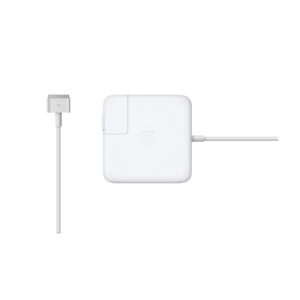
⚡ Genuine 85W MagSafe 2 Power Adapter for MacBook Pro Retina
🔌 Compatible with A1424 and A1398 MacBook Pro models
💡 Magnetic connection prevents accidental disconnection
⚙️ Built-in LED indicator shows charging status
🔋 Fast and efficient 85W power delivery
🛡️ Advanced safety features protect your MacBook
📱 Compact and portable design for travel
🇹🇹 Available for purchase in Trinidad and Tobago
⚡ 60W T-Tip Power Adapter designed for MacBook Pro compatibility
🔌 Magnetic T-shaped connector for secure, easy attachment
💻 Perfect replacement or backup charger for your MacBook Pro
🏠 Ideal for home, office, or travel use in Trinidad’s climate
⚡ Safe charging with built-in surge protection features
🔄 Compact, portable design that fits easily in laptop bags
🌟 Reliable power delivery for uninterrupted work sessions
🇹🇹 Available for purchase in Trinidad and Tobago