
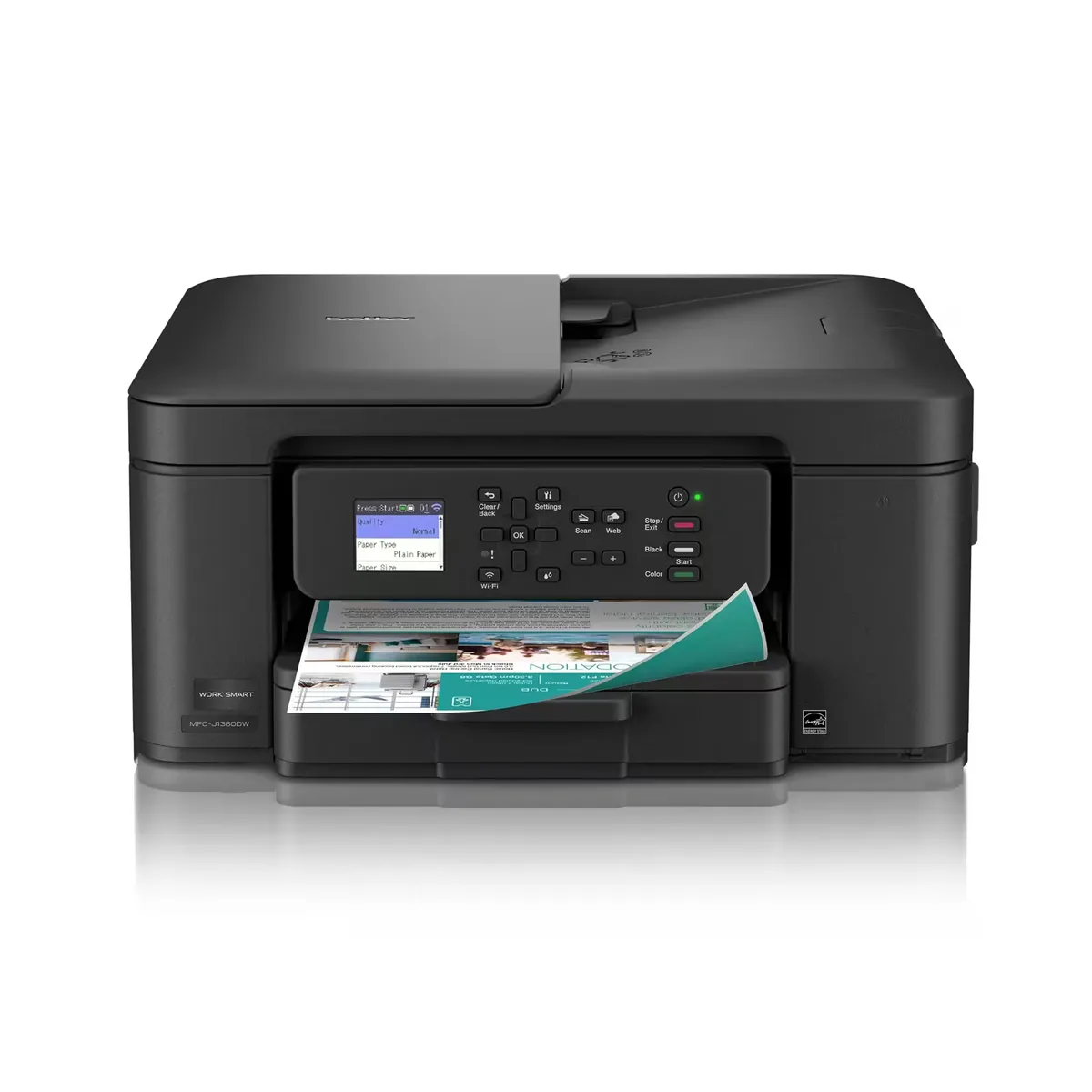
Brother MFC-J1360DW Wireless Color Inkjet All-in-One Printer For Sale Trinidad
Call for availability
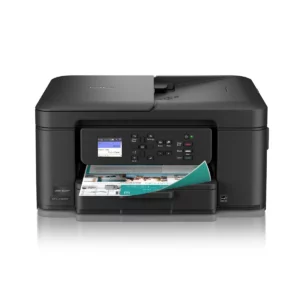
- 🖨️ The Brother MFC-J1360DW printer for sale Trinidad — print, scan, copy and more from one compact device
- 📶 Dual Band Wireless (2.4GHz & 5GHz), Wi-Fi Direct and Hi-Speed USB 2.0 for flexible, cable-free connectivity
- ⚡ Fast output speeds of up to 16 ppm black and 9 ppm color, with a first page out in as little as 6.2 seconds
- 🔄 Automatic duplex (two-sided) printing saves paper and keeps your documents looking professional
- 📱 Compatible with AirPrint, Mopria and Brother Mobile Connect so you can print straight from your phone or tablet
- 🎨 Crisp, vibrant results at up to 1200 x 6000 dpi resolution, ideal for documents, photos and presentations
- ☁️ Built-in Brother Cloud Apps support scanning to Google Drive, OneDrive, Dropbox, Evernote and more
- 🇹🇹 Available in Trinidad and Tobago with island-wide delivery — order online or WhatsApp us at 868-356-1030
• IT Plus Code: OBK-R2-S2
$1,185.00 TTD
Call for availability
🤔 Looking for a Reliable Wireless All-in-One Printer in Trinidad?
The Brother MFC-J1360DW printer for sale Trinidad is the answer for homes and offices in Trinidad that need a dependable, feature-packed machine without the hassle of tangled cables or multiple devices. So many people struggle with slow, wired printers that can’t keep up with daily demands — this Brother all-in-one solves that problem by combining printing, scanning and copying into one compact, wireless unit. Whether you’re working from home, running a small business or handling school projects, this printer is built to handle it all.
✨ Meet the Brother MFC-J1360DW — the All-in-One Your Office Has Been Waiting For
The Brother MFC-J1360DW brings together speed, quality and smart connectivity in a single, affordable package. With dual band wireless support across both 2.4GHz and 5GHz networks, it connects quickly and stays stable — even in busy households or shared office environments. Also, with a recommended monthly print volume of up to 1,000 pages and a maximum duty cycle of 2,500 pages, it’s ready for serious everyday use. Don’t let an outdated printer slow you down — upgrade today.
🔧 Brother MFC-J1360DW Features & Specifications
- Print Speed: Up to 16 ppm black, 9 ppm color
- Print Resolution: Up to 1200 x 6000 dpi (Windows); up to 1200 x 3600 dpi (macOS)
- Automatic Duplex Printing: Yes — saves paper automatically
- Connectivity: Dual Band Wi-Fi 802.11 b/g/n (2.4GHz) & 802.11 a/n (5GHz), Wi-Fi Direct, Hi-Speed USB 2.0
- Mobile Compatibility: AirPrint, Brother Mobile Connect, Mopria, Wi-Fi Direct
- Paper Input Capacity: 150 sheets standard; 20-sheet Automatic Document Feeder
- Display: 1.8″ color display for easy navigation
- Cloud Apps: Scan to Google Drive, OneDrive, Dropbox, Evernote, Box, SharePoint Online and more
- Security: WPA3-SAE (AES), WPA2-PSK, TLS/SSL, 802.1x enterprise security
- Replacement Ink: LC501 cartridges
- In the Box: Brother MFC-J1360DW, starter black ink cartridge (200 pages), starter cyan/magenta/yellow ink cartridges (200 pages each), AC power cord, setup guides and warranty card
- Dimensions: 15.4″ x 13.5″ x 7.2″ | Weight: 16.8 lbs
- ENERGY STAR Certified: Yes | EPEAT: Silver
📖 How to Set Up and Use Your Brother MFC-J1360DW
- Unbox the printer and connect the AC power cord to a standard outlet.
- Install the included starter ink cartridges following the on-screen guide on the 1.8″ color display.
- Connect to your home or office Wi-Fi using the one-push Wi-Fi Protected Setup (WPS) button for instant wireless pairing.
- Download the Brother Mobile Connect app on your smartphone or tablet to print and scan from anywhere in the room.
- Load up to 150 sheets into the paper tray and start printing, scanning or copying right away.
- Use the 20-sheet ADF to scan or copy multi-page documents quickly without feeding pages one at a time.
💡 Benefits: Why the Brother MFC-J1360DW Makes Everyday Work Easier
The Brother MFC-J1360DW eliminates the need for separate devices, saving you desk space, money and time. Because it supports automatic duplex printing, you’ll cut paper consumption significantly — a real advantage for businesses watching their running costs. For example, cloud scanning lets you send documents directly to your Google Drive or Dropbox without touching a computer, streamlining your workflow instantly. The fast first-page-out time of just 6.2 seconds (black) means you’re never waiting long, and the strong wireless security features — including WPA3 and 802.1x enterprise support — keep your network protected. It’s a smart, well-rounded investment whether you’re printing invoices, school assignments or creative projects.
❓ Frequently Asked Questions
What ink cartridges does the Brother MFC-J1360DW use?
This printer uses LC501 series ink cartridges. Starter cartridges (200 pages each for black, cyan, magenta and yellow) are included in the box to get you started right away.
Does it work with Mac and Windows?
Yes — the Brother MFC-J1360DW is compatible with Windows, macOS and Linux, so it works with virtually any laptop or desktop you already own.
Can I print from my phone without a computer?
Absolutely. The printer supports AirPrint (iPhone/iPad), Mopria (Android) and Brother Mobile Connect, so you can print and scan directly from your mobile device over Wi-Fi.
Does it print on both sides automatically?
Yes — automatic duplex printing is built in, so the printer flips the page and prints both sides without any manual intervention.
Is this printer suitable for a small business in Trinidad?
Yes, with a recommended monthly volume of up to 1,000 pages and a maximum duty cycle of 2,500 pages, it handles small-to-medium business workloads comfortably. WhatsApp us at 868-356-1030 and we’ll confirm it’s the right fit for your setup.
🇹🇹 Why Shop the Brother MFC-J1360DW with IT Plus Trinidad?
We are a trusted local technology store serving customers across Trinidad and Tobago at itplustrinidad.com. When you shop with us, you’re buying from a team that actually knows the products we sell — we’re happy to help you choose the right printer for your home or business needs. We offer affordable local pricing, and because we deliver island-wide throughout Trinidad and Tobago, you don’t have to leave home to get the gear you need. Also, our WhatsApp line (868-356-1030) means you can get a quick, friendly answer to any question before or after your purchase. We keep popular Brother models in stock locally so you’re not waiting weeks for a shipment.
📞 Order Now — It’s Easy!
Getting your Brother MFC-J1360DW printer for sale Trinidad is simple. Reach out to us through any of the options below and we’ll take care of the rest:
- 📧 Email us at [email protected]
- 💬 WhatsApp us at 868-356-1030 for a fast reply
- 🏦 Pay conveniently via online banking
- 🚚 We deliver throughout Trinidad and Tobago — straight to your door
Don’t wait — contact IT Plus Trinidad today and get your Brother all-in-one working for you by tomorrow.
| brands | Brother |
|---|---|
| Model | MFC-J1360DW |
| Type | Wireless Color Inkjet All-in-One |
| Print Speed | Black 16 ppm / Color 9 ppm |
| Resolution | Up to 1200 x 6000 dpi |
| Connectivity | Dual Band Wi-Fi, USB 2.0, Wi-Fi Direct |
| Paper Capacity | 150 sheets input / 50 sheets output |
| ADF Capacity | 20 sheets |
| Ink Cartridge Code | LC501 |
| Display | 1.8" Color Display |
-
Inks & Toners, Office Equipment, Printers
Brother MFC-J1360DW Wireless Color Inkjet All-in-One Printer For Sale Trinidad
 Inks & Toners, Office Equipment, Printers
Brother MFC-J1360DW Wireless Color Inkjet All-in-One Printer For Sale Trinidad
- 🖨️ The Brother MFC-J1360DW printer for sale Trinidad — print, scan, copy and more from one compact device
- 📶 Dual Band Wireless (2.4GHz & 5GHz), Wi-Fi Direct and Hi-Speed USB 2.0 for flexible, cable-free connectivity
- ⚡ Fast output speeds of up to 16 ppm black and 9 ppm color, with a first page out in as little as 6.2 seconds
- 🔄 Automatic duplex (two-sided) printing saves paper and keeps your documents looking professional
- 📱 Compatible with AirPrint, Mopria and Brother Mobile Connect so you can print straight from your phone or tablet
- 🎨 Crisp, vibrant results at up to 1200 x 6000 dpi resolution, ideal for documents, photos and presentations
- ☁️ Built-in Brother Cloud Apps support scanning to Google Drive, OneDrive, Dropbox, Evernote and more
- 🇹🇹 Available in Trinidad and Tobago with island-wide delivery — order online or WhatsApp us at 868-356-1030
• IT Plus Code: OBK-R2-S2
SKU: n/a -
Paper
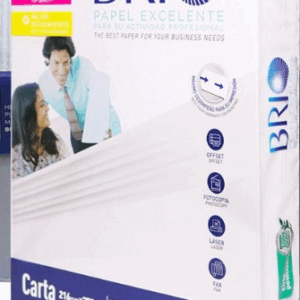
Brio Letter Size Paper 500 pack A4 Copy Paper 70gsm – Premium Multipurpose Printing & Copy Paper For Sale Trinidad
 Paper
Brio Letter Size Paper 500 pack A4 Copy Paper 70gsm – Premium Multipurpose Printing & Copy Paper For Sale Trinidad
📄 A4 Copy Paper 70gsm is a reliable, high-quality paper ideal for everyday printing, photocopying, reports, letters, invoices, school assignments, and office documents. Designed for smooth performance in inkjet printers, laser printers, photocopiers, and fax machines.
🚚 Delivery Available Across Trinidad & Tobago
🏪 Pickup Available at IT PLUS LTD
✅ Excellent Print Quality
✅ Jam-Resistant Performance
✅ Bright White Finish• UPC Code: 7891173024251
SKU: n/a -
Paper
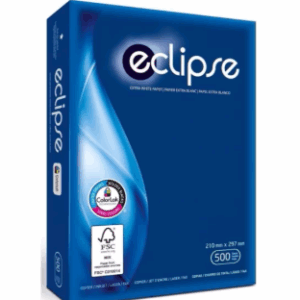
Eclipse Copy Paper Legal Size 500 Sheets Sale Trinidad
📄 Eclipse Copy Paper – Legal Size (8.5″ x 14″) 8.5×14
📦 500 Sheets per ream – 1 count
🖨️ Compatible with inkjet, laser, and copier machines
✅ Smooth, bright white finish for sharp, clean prints
🏢 Ideal for home, office, school, and business use
🇹🇹 Available in Trinidad and Tobago
🛒 Order online or via WhatsApp for fast local delivery• UPC Code: 7891191004068
SKU: n/a
You may also like…
-
Printers
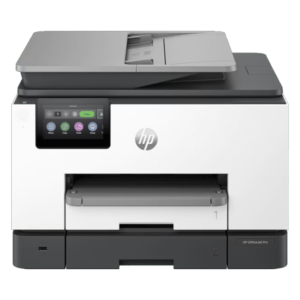
HP OfficeJet Pro 9130 All-in-One Printer For Sale Trinidad
🖨️ HP OfficeJet Pro 9130 All-in-One Printer (404K9C)
- 🛠️ Functions: Print, Copy, Scan, Fax
- 📦 Cartridges & Page Yield:
- HP 938 Black: ~1,250 pages
- HP 938 Cyan, Magenta, Yellow: ~800 pages each
- 🔄 Duplex Printing: Automatic
- 📅 Duty Cycle: Up to 30,000 pages/month
- 📥 Paper Handling: 250-sheet input + 35-sheet ADF
- 🌐 Connectivity: Ethernet, Wi-Fi, USB, AirPrint, HP Smart App
- 🌈 Print Resolution: Up to 4800 x 1200 dpi
- 💻 OS Compatibility: Windows, macOS, Linux, Chrome OS
• UPC Code: 196337284920
SKU: n/a
Related products
-
Printers, Printers and supplies
Brother Black only Monochrome Printer MFC L2750 sale Trinidad
🖨️ Brother MFC-L2750DW – Fast, Smart & Reliable
Sold by IT PLUS LIMITED Trinidad
- Prints up to 36 pages per minute – perfect for busy professionals
- Scan, copy, and fax with single-pass duplex and 50-sheet auto feeder
- Wireless & NFC – print from phone, tablet, or computer with ease
- 2.7″ touchscreen – customize shortcuts and navigate effortlessly
- 250-sheet tray – fewer refills, more productivity
- Sharp monochrome output – ideal for clean, professional documents
✅ Great for small offices, remote work setups, and document-heavy tasks
✅ Boosts efficiency with fast, hands-free operation
✅ Seamless mobile and cloud printing for modern workflowSKU: n/a -
Printers
HP Smart Tank 790 – Ink Tank 790 ADF Printer – For Sale Trinidad
🖨️ A4 Color Smart Tank All-in-One Printer, Perfect for Home
- 🖨️ Print, Copy, Scan, and Fax with ease.
⚡ Fast Printing
- ⚡ Print speed up to 23 ppm (black) and 22 ppm (color).
🔗 Seamless Connectivity
- 🔗 USB, WiFi, LAN, and Mobile Printing capabilities for hassle-free and versatile connections.
UPC: 195908302926
• UPC Code: 195908302926
SKU: n/a -
-
Office Equipment, Printers, Printers and supplies
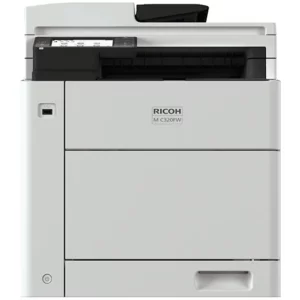
Ricoh M C320FW Color All-in-One Laser Printer For Sale Trinidad
 Office Equipment, Printers, Printers and supplies
Ricoh M C320FW Color All-in-One Laser Printer For Sale Trinidad
- 🖨️ The Ricoh M C320FW printer for sale Trinidad delivers crisp color and black & white output at up to 32 ppm
- 📄 4-in-1 functionality — print, copy, scan, and fax from a single compact device
- 🎯 Maximum print resolution of 1,200 x 1,200 dpi for sharp, professional-quality results
- 📦 Large paper capacity of up to 800 pages so your office stays productive longer
- 🔒 Built-in security features including Locked Print, user authentication, and TLS 1.3 data encryption
- 📱 Supports the RICOH Support Station mobile app for easy setup, maintenance, and supply ordering
- 🌱 ENERGY STAR® certified with a low typical electricity consumption of just 0.32 kWh/week
- 🇹🇹 Available in Trinidad and Tobago with island-wide delivery — WhatsApp us at 868-356-1030
SKU: n/a