
NT156WHM-T03 Touch Screen Replacement Sale Trinidad
2 in stock
- 🖥️ HD 1366×768 glossy LED LCD touch screen replacement
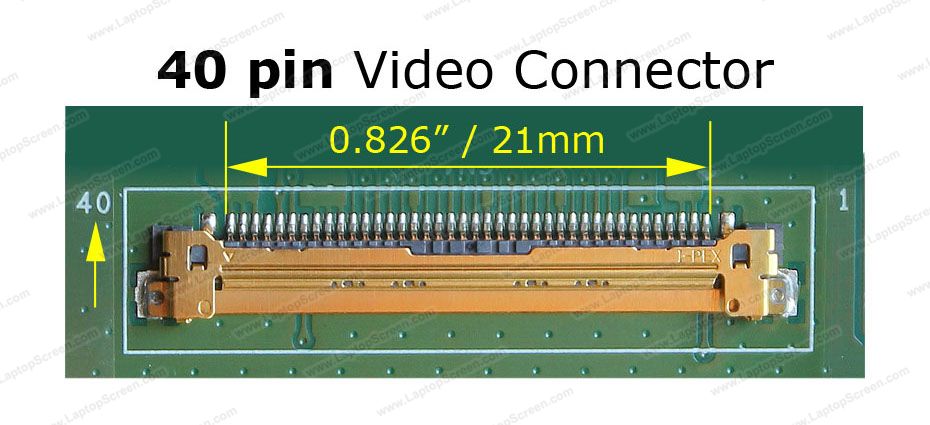
⚡ 40-pin connector compatible with NT156WHM-T03 V8.1
🔧 Complete repair kit with tools and adhesive tape included
✨ Crystal clear display with responsive touch functionality
🛠️ Professional-grade replacement for damaged laptop screens
📱 Easy installation with step-by-step guidance
🚚 Available for purchase in Trinidad and Tobago
💯 Perfect fit guarantee for compatible laptop models
$1,500.00 TTD
2 in stock
NT156WHM-T03 V8.1
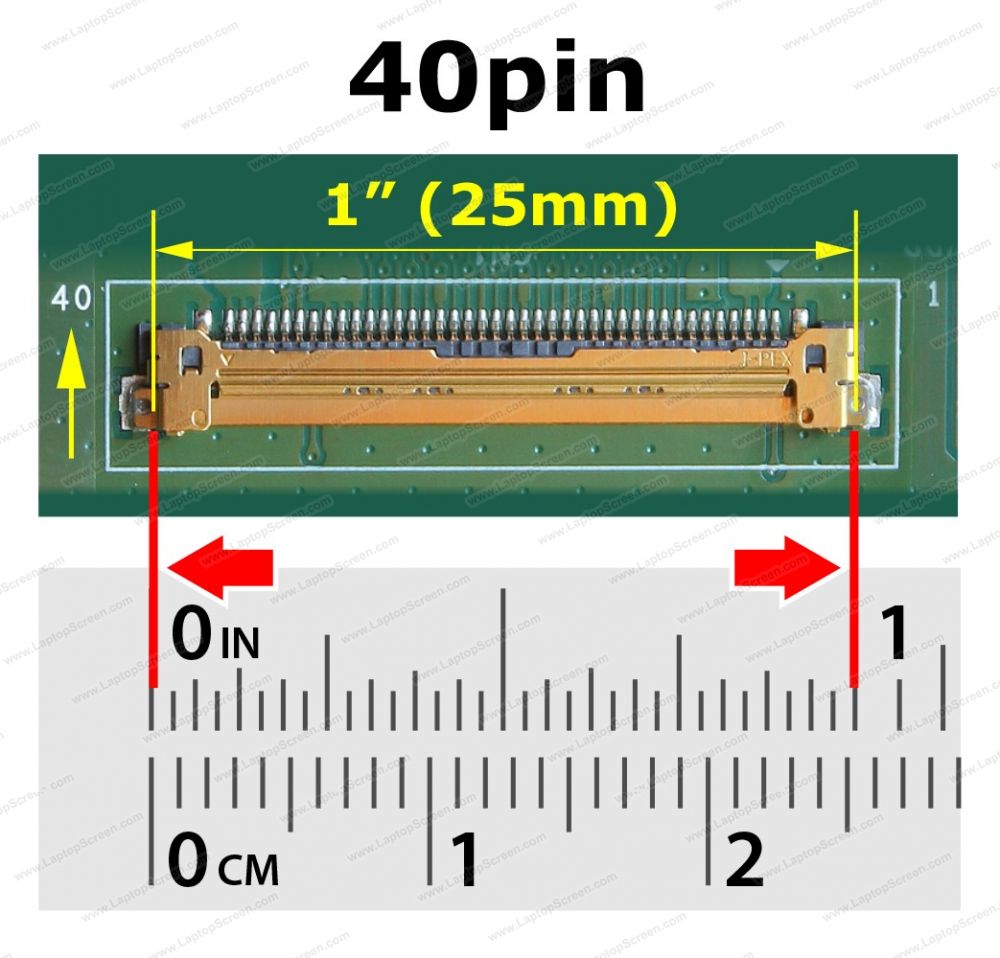
40-pin eDP
15.6″
HD 1366×768
60 Hz
LED Backlit
Glossy
there is no separate digitizer glass sitting on top. This results in a thinner, lighter screen with
improved clarity. Important: the LCD and touch digitizer cannot be replaced separately —
the entire panel is replaced as one unit.
| Brand | Models |
|---|---|
| HP | Pavilion 15-DW0036WM, 15-DW0038WM, 15-dw2025cl, 15-dw3013dx |
| HP | Pavilion 15T-CS000, 15T-CS100, 15T-CS200 series |
| HP | 15-ef series, 15s-eq series (select touch variants) |
| Acer | Selected 15.6″ touch models — verify 40-pin eDP + HD 1366×768 before ordering |
| Dell | Selected models — verify 40-pin eDP + HD 1366×768 resolution before ordering |
Always verify part number, connector type, resolution, and touch capability against your original screen before purchasing.
The 3520 touch model uses FHD (1920×1080) 40-pin panels (e.g. NV156FHM-T06).
Although the connector pin count matches, this panel is HD only (1366×768) and is not compatible because:
- The resolution differs — Dell’s cable and digitizer board are tuned for FHD signals.
- Touch functionality may not work correctly even if the display powers on.
- Same pin count does not guarantee signal compatibility across different OEM configurations.
Non-touch Dell Inspiron 3520 uses a 30-pin connector — this screen will not physically connect.
-
✔
Screen SizeMust be 15.6 inch
-
✔
ResolutionHD 1366×768 (not FHD 1920×1080)
-
✔
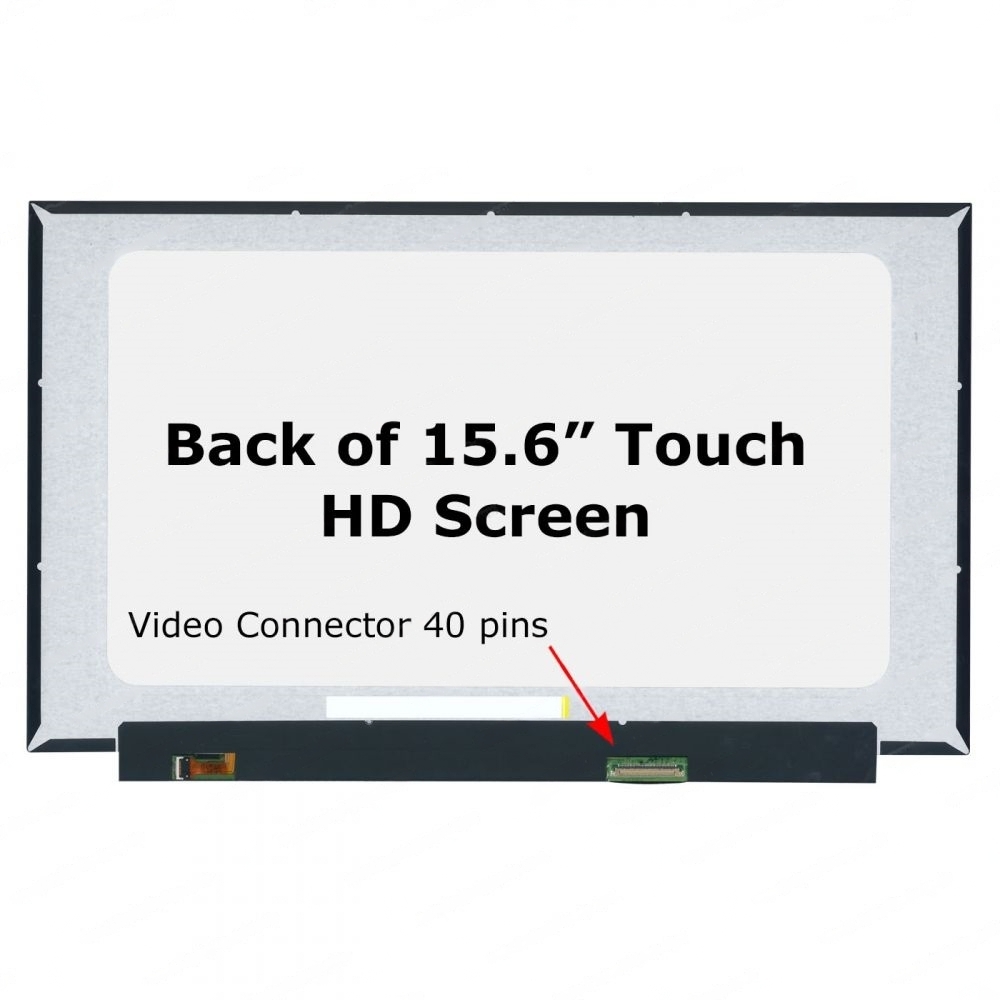
Connector40-pin eDP
-
✔
Touch ScreenLaptop must be a touch model
-
✔
Panel TypeLCD (not OLED)
-
✔
Part NumberMatch against original screen label
Are you frustrated with a cracked, unresponsive, or damaged laptop touch screen that’s making your work or studies in Trinidad nearly impossible? Do you find yourself squinting at flickering displays or struggling with dead pixels that interrupt your productivity every single day?
What if you could restore your laptop to like-new condition without the expensive cost of professional repair services or buying a entirely new device? This premium NT156WHM-T03 V8.1 replacement touch screen is your perfect solution to bring your laptop back to life. Don’t let a damaged screen hold you back any longer when an affordable, high-quality replacement is within reach. Imagine the relief of having a crystal-clear, fully responsive display again, allowing you to work efficiently whether you’re at home in Port of Spain, studying at UWI, or running your business across Trinidad and Tobago.
This professional-grade replacement touch screen delivers exceptional HD 1366×768 resolution with a glossy LED LCD display that provides vibrant colors and sharp image quality. The screen features a 40-pin connector specifically designed for NT156WHM-T03 V8.1 compatibility, ensuring a perfect fit for your laptop model. The responsive touch functionality works flawlessly with multi-touch gestures, making navigation smooth and intuitive. Your complete repair kit includes premium installation tools, precision screwdrivers, and high-quality adhesive tape to secure your new screen properly. The durable construction uses premium materials that resist everyday wear and tear, while the anti-glare coating reduces eye strain during extended use in Trinidad’s bright tropical conditions.
Installing your new touch screen is straightforward with the included tools and clear guidance available online. First, power down your laptop completely and remove the battery for safety. Carefully remove the damaged screen by unscrewing the mounting brackets and disconnecting the 40-pin cable connector. Connect your new replacement screen to the same connector, ensuring a secure fit, then mount it using the original brackets. Apply the included adhesive tape around the edges for additional security, reassemble your laptop casing, and power on to enjoy your restored display. The entire process typically takes 30-45 minutes and requires only basic technical skills, making it accessible for most users who want to save money on professional repairs.
This replacement screen solves multiple frustrating problems that damaged displays create in your daily routine. You’ll eliminate the eye strain and headaches caused by flickering or dim screens, restore full productivity for work presentations and video calls, and enjoy entertainment with crisp, clear visuals again. The responsive touch functionality brings back the convenience of intuitive navigation, while the HD resolution ensures text appears sharp for reading documents or browsing websites. For students and professionals in Trinidad, this means no more missed deadlines due to display issues, no more embarrassing presentation problems, and the confidence that comes with having reliable technology. Business owners can maintain their professional image during client meetings and keep operations running smoothly without expensive downtime.
IT Plus Trinidad makes getting your laptop screen replacement simple and affordable throughout Trinidad and Tobago. We understand the importance of having reliable technology in today’s digital world, which is why we offer competitive pricing that delivers exceptional value for money. Our commitment to serving the local Trinidad market means you receive dedicated customer support from people who understand your needs. Fast delivery throughout both Trinidad and Tobago ensures you can restore your laptop quickly, getting back to your important work, studies, or personal projects without lengthy delays that international shipping often causes.
Ordering your NT156WHM-T03 replacement touch screen is effortless through multiple convenient channels designed for Trinidad customers. Email [email protected] with your specific laptop model details and shipping address for personalized service and technical guidance. For immediate assistance or quick orders, WhatsApp us at 868-356-1030 where our knowledgeable team can answer questions and process your order efficiently. We provide secure online banking payment links for safe, convenient transactions, and our reliable delivery network reaches every corner of Trinidad and Tobago. Don’t let a damaged screen disrupt your productivity any longer when professional-quality replacement is just one message away.
Upgrade your display with the NT156WHM-T03 V8.1, a high-quality 15.6″ widescreen embedded touchscreen panel. This On-Cell Touch panel offers a stunning HD resolution of 1366×768, ensuring crisp visuals and vibrant colors. The glossy surface enhances image clarity, making it perfect for entertainment and professional use. It features a 40-pin video connector for easy installation, though it comes without mounting brackets. Ideal for replacing or upgrading your laptop screen, this panel delivers both performance and convenience.
The NT156WHM‑T03 V8.1 (15.6″, HD 1366×768, 40‑pin LVDS touch panel) is used in several budget‑friendly HP 15‑series laptops, particularly the HP 15‑DW line. It is not interchangeable with eDP Full HD panels like LP156WFJ‑SPB3.
🔍 Laptop Models Confirmed to Use NT156WHM‑T03 V8.1
Based on manufacturer listings and replacement part catalogs, this panel is compatible with:
- HP 15‑DW0036WM
- HP 15‑DW0038WM
- HP 15‑DW2025CL
- HP 15‑DW3013DX
- HP 15‑DW series models with HD (1366×768) touch screens and 40‑pin LVDS connectors
These models often ship with part number L52001‑001, which corresponds to NT156WHM‑T03 V8.0/V8.1.
⚠️ Compatibility Notes
- Connector type: LVDS 40‑pin. If your laptop uses eDP, this panel will not work.
- Resolution: 1366×768 (HD). If your laptop shipped with FHD (1920×1080), this panel is not suitable.
- Touch support: This panel is a touch screen replacement. Non‑touch laptops in the same series may use NT156WHM non‑touch variants.
- Series limitation: Primarily found in HP 15‑DW consumer laptops; not common in Pavilion Gaming, Envy, or ProBook lines.
📌 Practical Guidance
- If your laptop originally shipped with NT156WHM‑T03 V8.1, you must replace it with the same or a direct LVDS HD touch equivalent.
- If you want to upgrade to Full HD (1920×1080), you’ll need to confirm whether your motherboard supports eDP panels — most HP 15‑DW HD models do not.
Related products
-
Blue Light Screen Filter, Laptop Screens, Privacy Screen, Screen Protector
21.5″ Computer Privacy Screen Filter Sale Trinidad
 Blue Light Screen Filter, Laptop Screens, Privacy Screen, Screen Protector
21.5″ Computer Privacy Screen Filter Sale Trinidad
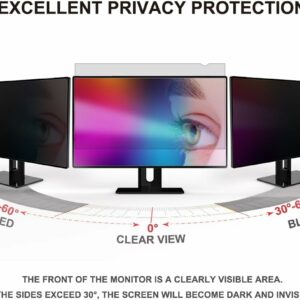
• 🖥️ 21.5″ privacy screen filter for widescreen monitors (16:9 aspect ratio)
• 👀 Blocks side viewing – keeps your work confidential
• 💙 Blue light filter reduces eye strain and fatigue
• ✨ Anti-glare coating eliminates screen reflections
• 🛡️ Anti-scratch protection keeps your monitor safe
• 📏 Perfect fit for 21.5 inch widescreen displays
• 🏢 Ideal for offices, home workspaces, and public areas
• 🇹🇹 Available in Trinidad and TobagoSKU: n/a